ExamTopics before and after
Real screenshots of an ExamTopics exam question page (AWS Certified Cloud Practitioner CLF-C02, Topic 1), taken with the extension. They are not mockups.
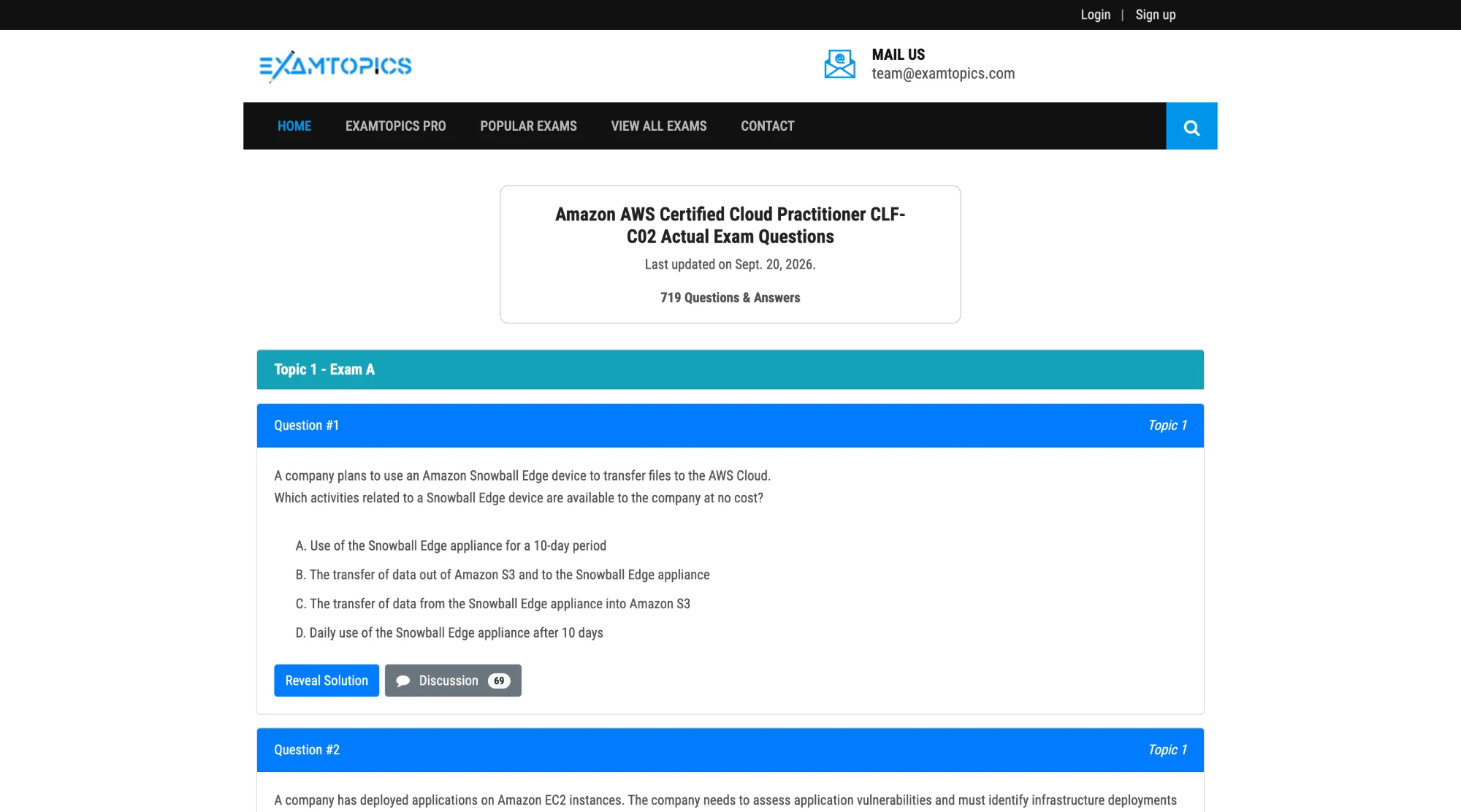
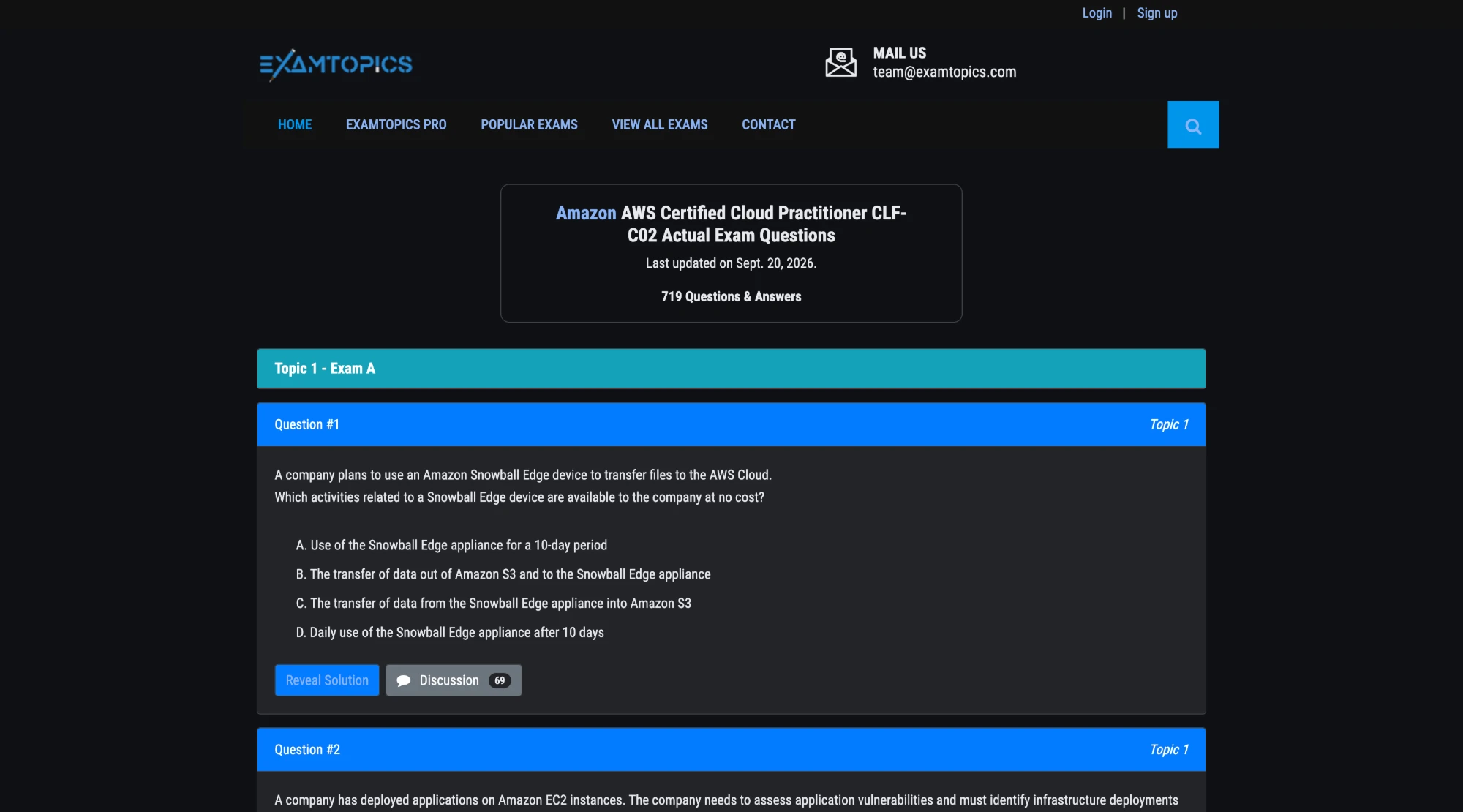
Engine used: CSS Engine
How to turn on dark mode for ExamTopics
- Add ThemeSwitcher to Chrome from the Chrome Web Store. It is free, and the side panel needs Chrome 114 or newer.
- Open examtopics.com in a tab.
- Click the ThemeSwitcher icon in the toolbar to open the side panel.
- Choose CSS Engine and turn dark mode on. ThemeSwitcher remembers both for examtopics.com. Alt+Shift+D toggles it from the keyboard.
- If something looks wrong, press Report this site as broken. It shows the domain it will send, and sends only after you press Send report.
What changes on ExamTopics
- The page background and the white question cards turn dark grey, and the question and answer text turns light.
- The teal "Topic" bar and the blue "Question #" headers keep their colours, with white text on top.
- The blue Reveal Solution button, the grey Discussion button and the blue search button keep their colours.
- The ExamTopics logo is left as it is. The black bar at the very top was already dark and stays dark.
Frequently asked questions
Which ThemeSwitcher engine works best on ExamTopics?
The screenshots on this page were taken with the CSS engine. It recolors backgrounds and text by contrast and keeps the site's coloured headers and buttons. ThemeSwitcher remembers the engine you pick for examtopics.com.
Will the coloured question headers still be readable?
Yes. In the screenshot the teal topic bar and the blue question headers keep their colours, and their white text stays on top of them.
Does ThemeSwitcher see which exams I study?
The page is recolored on your device. ThemeSwitcher never sends page addresses or page content. The optional usage report is off unless you turn it on and never includes sites. A broken-site report is sent only if you press Report this site as broken and confirm it, and it contains just the domain, engine, theme label and version.