Notion before and after
Real screenshots of Notion's public marketing homepage (not the Notion workspace app), taken with the extension. They are not mockups.
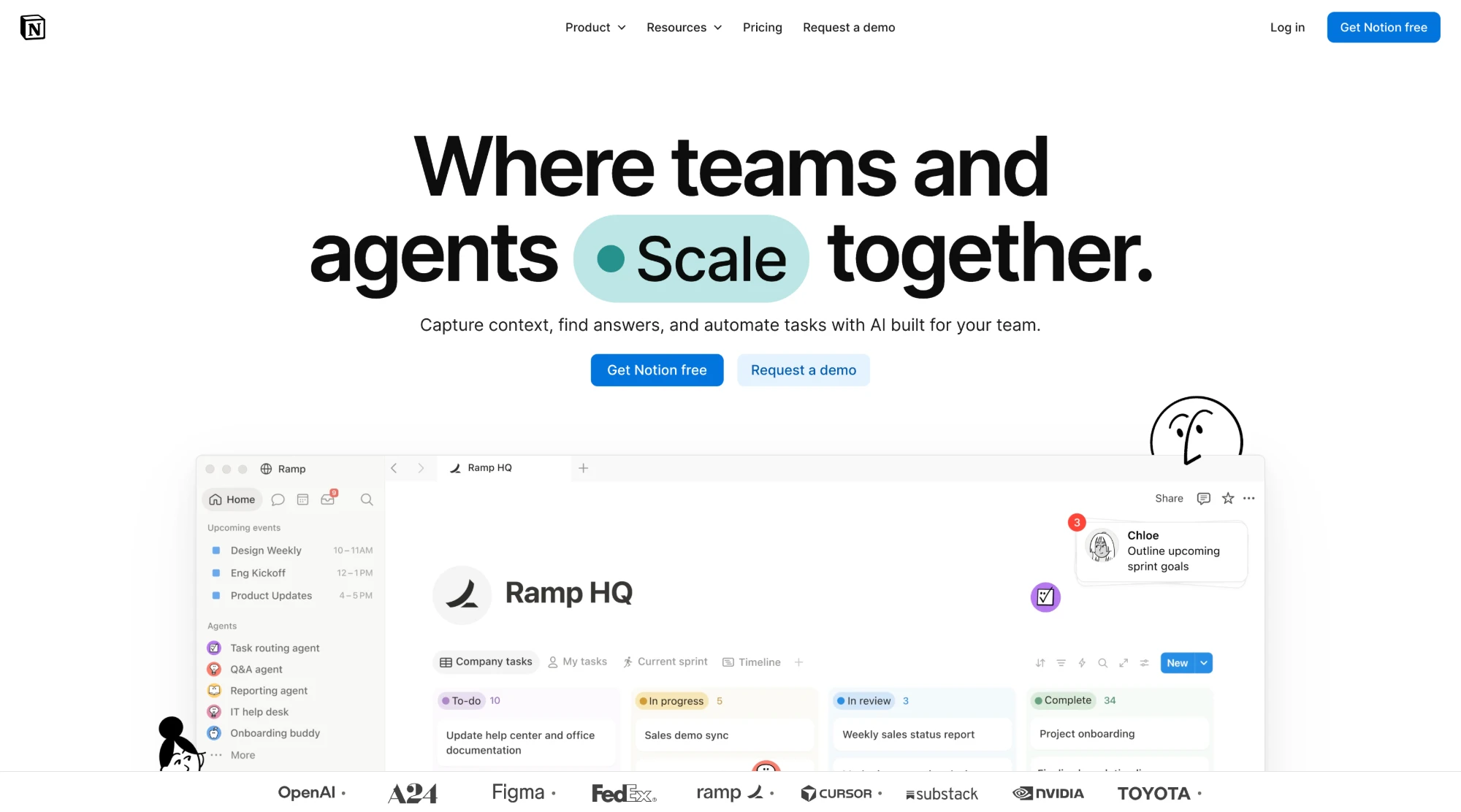
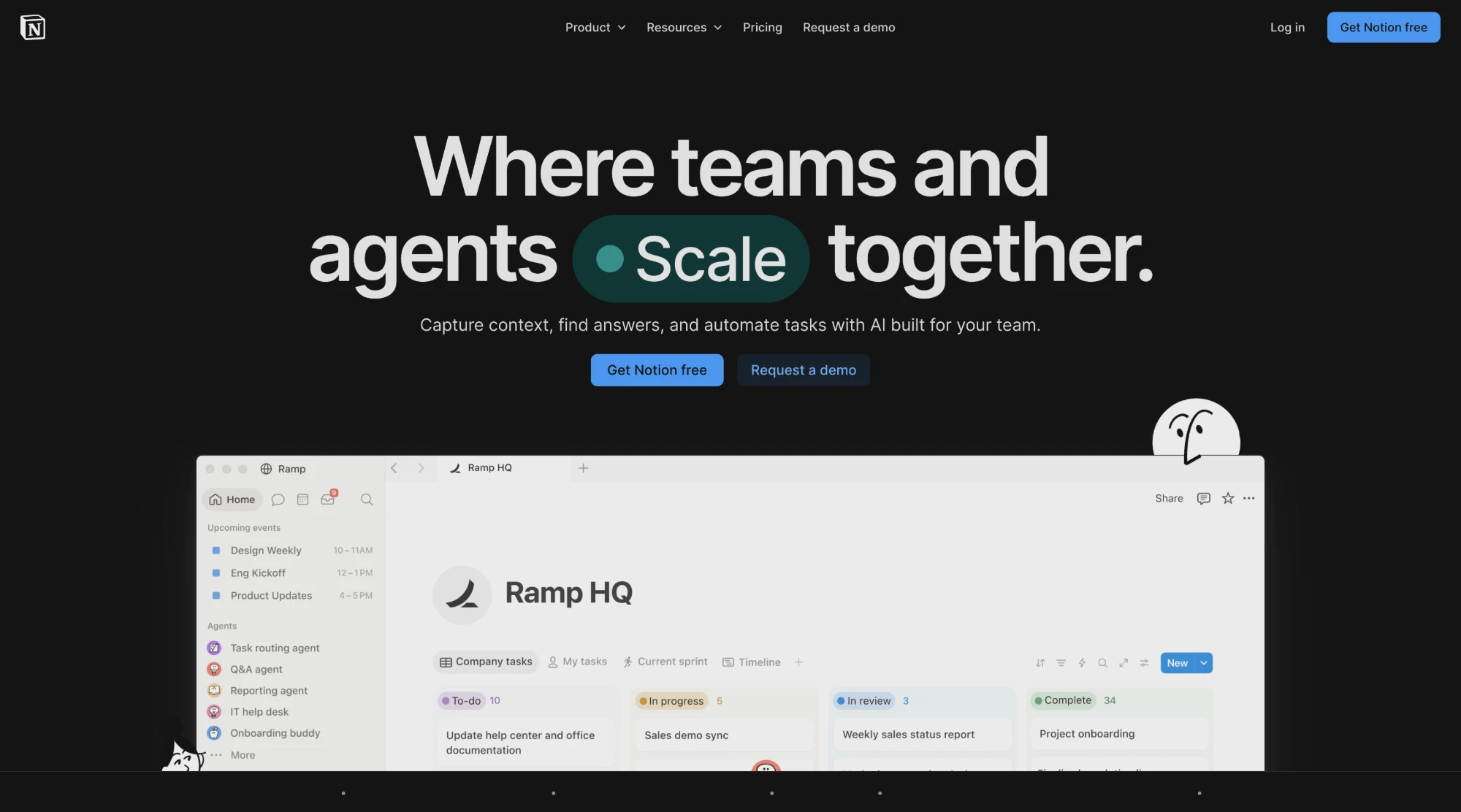
Engine used: CSS Engine
How to turn on dark mode for Notion
- Add ThemeSwitcher to Chrome from the Chrome Web Store. It is free, and the side panel needs Chrome 114 or newer.
- Open notion.so in a tab.
- Click the ThemeSwitcher icon in the toolbar to open the side panel.
- Choose CSS Engine and turn dark mode on. ThemeSwitcher remembers both for notion.so. Alt+Shift+D toggles it from the keyboard.
- If something looks wrong, press Report this site as broken. It shows the domain it will send, and sends only after you press Send report.
What changes on Notion
- The white page background turns near-black and the large headline and body text turn light.
- The blue Get Notion free buttons keep their colour. The pale Request a demo button and the green Scale pill turn dark, with their text still readable.
- The product preview in the middle of the page is a picture, so it stays light. ThemeSwitcher doesn't recolor photos and screenshots.
- Limitation: the strip of customer logos at the bottom (OpenAI, Figma, NVIDIA and others) is drawn in dark ink and nearly disappears on the dark background. The screenshot was taken before version 2.2.0, whose logo detection has not been re-tested here.
Frequently asked questions
Does this work in the Notion workspace, not just the homepage?
We have only published screenshots of Notion's homepage, so we don't make claims about the workspace yet. You can try it there: open the side panel on your Notion page and pick an engine. If something looks wrong, use Report this site as broken.
Why does the product picture on the homepage stay light?
It is an image. ThemeSwitcher recolors backgrounds and text but keeps photos and screenshots in their own colours, so the picture keeps its light look.
Are my Notion pages sent anywhere?
No. The page is recolored on your device, and ThemeSwitcher never sends page addresses or page content. The optional usage report is off unless you turn it on and never includes sites. A broken-site report is sent only when you confirm it, and it holds only the domain, engine, theme label and version.